Kick an Uma Kick, Collect, Open
Three prompts. Mash none of them. The power bar only wants one clean tap.
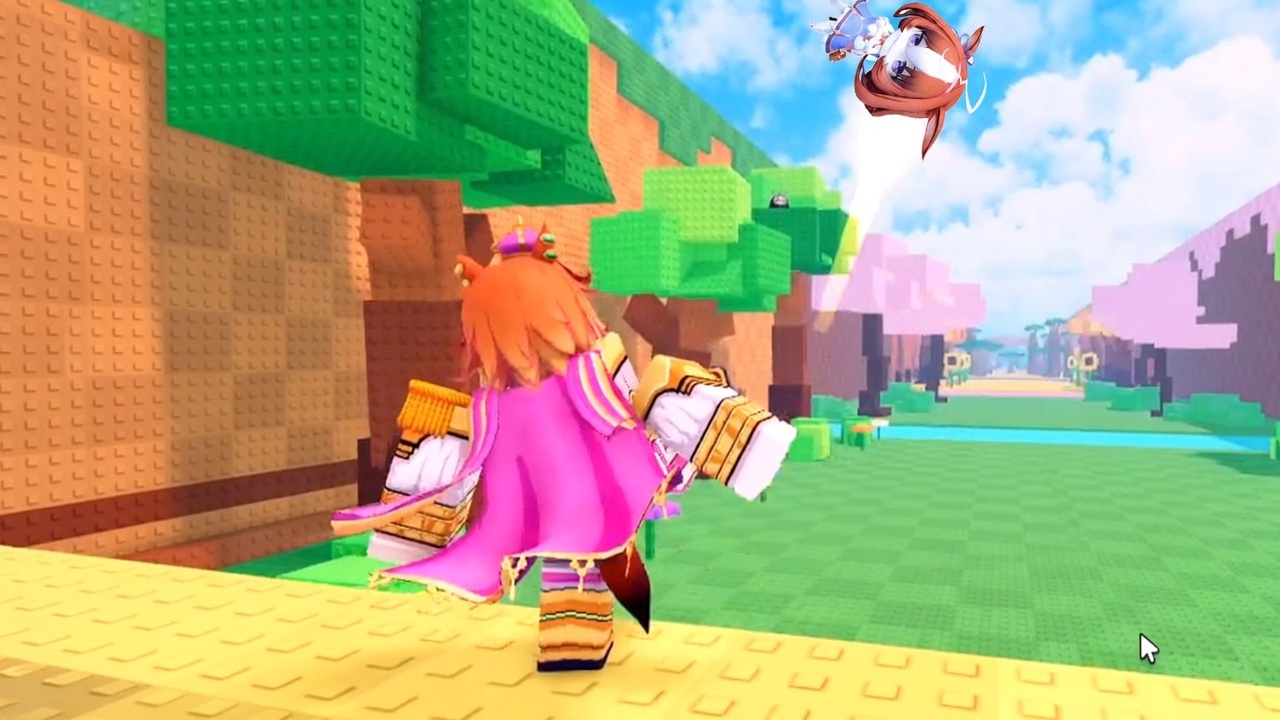
Kick an Uma is a Roblox experience, so movement is the usual walk, jump, and camera. The wiki cares about the three prompts that print money: the kick on the yellow pad, the collect after a Lucky Uma Block pops, and E to Open on a barn platform. Miss any one of those and a Perfect Kick is a screenshot, not income. This page is the input sheet. How to kick is the timing theory. Plot income is why you walk back to the barn at all.
There is no split-screen. Servers are online multiplayer. Bindings can differ if you remapped Roblox, but launch-week clips still show the same loop: stand on yellow studs, freeze the power bar once, sprint to the silhouette, carry the Uma, press the open prompt, park her on a pad.
The kick pad
Find the yellow stud path in starter grass. Face down the track so the landing biome is in the same frame as the bar. On PC the kick is a click or the bound kick key. On mobile it is a tap on the kick button. Do not mash. One input freezes the marker. Watch two idle cycles before the first real launch so you know whether the bar bounces or sweeps.
If another player is standing on your pad, wait one cycle. A blocked run-up ruins a clean tap. Friends should join the same Roblox server and take turns if the layout is single-file. Kick an Uma does not give you a private studio just because you queued together.
A Perfect Kick is a brighter trail and more distance. A panic tap dribble-hops into grass. The cube consumes the attempt either way, so ten panicked kicks is ten wasted Lucky Uma Blocks. Practice on getting started before you buy a weight.
Collect after the cube pops
Cyan cubes and a horse-girl silhouette mean the Lucky Uma Block resolved. Sprint to the unit and pick it up. The drop is not yours until it is in your inventory and then on a pad. Standing in the desert to admire Godly Kitasan Black while she despawns is a failed control check, not a lore moment.
If you cannot find the prompt, rotate the camera around the silhouette. Mobile players should lock the camera before the bar starts so they are not looking at the barn during the QTE and then lost after the pop. PC players can keep the camera down the track the whole time.
E to Open and the barn
The interior uses green empty platforms and yellow occupied ones. Walk to an empty pad until E Open (or the mobile equivalent prompt) appears. Place first. Upgrade stickers such as $4.5K Lvl 1 → Lvl 2 come after every pad has a body. A sample Mythic TM Opera O at $900/s is already a machine; a cute unplaced common is not.
Do not open the wrong pad in a crowded server. Your cash ticker is the one that moves after placement. If you are unsure, place, watch the HUD, then walk away. The income reference is for later math, not for the two seconds you have the prompt up.
Gym and barbell
Oguri Cap sits on a barbell in gym footage. That room is how you raise kick power. Interact with the station after pads pay. The train kick power page is the spend order. This page only cares that you can find the bench and that you do not confuse a gym prop with a barn Uma. A unit on a barbell as decoration is not automatically in your inventory.
We have not confirmed extra kick styles (Stomp, Mule, and other clone cosmetics) in Kick an Uma as of 8 September 2026. Do not spend launch cash on a shop item that only changes the animation until a HUD number moves.
Menus that are missing on purpose
Launch-week menus show the loop. They do not show a verified Codes button. If you opened this page looking for a redeem keybind, use the codes hub instead of mashing every icon. Scripts are not a control. A loadstring is not a keybind. See script safety.
Roblox’s own pause menu, camera sensitivity, and graphics slider still apply. Lowering camera shake helps the power bar. Turning the camera 90 degrees toward the barn during the QTE does not.
Related pages
- Getting started — first-session order using these inputs
- How to kick — Perfect Kick window
- Distance biomes — what the landing scenery means
- Plot income — why Open matters more than the emote
- Train kick power — gym after the barn pays
Frequently Asked Questions
Quick answers for Kick an Uma on Roblox.
What button do I press to kick in Kick an Uma?
On PC, click or use the bound kick key while the power bar is in the success window. On mobile, tap the kick button once. Do not mash. See how to kick.
What does E to Open do?
It opens a barn platform so you can place or upgrade an Uma. Empty green pads earn nothing until you park a unit. Details on plot income.
Is there a codes keybind?
No verified Codes button as of 8 September 2026. Check the codes hub instead of hunting a hidden key.
Why does my camera ruin kicks on mobile?
You looked at the barn while the marker moved. Lock the camera down the track before the bar starts so you can see the biome land.